Events, Calendar, Automation and Simulation
These pages answer four different questions: when an event exists, what consumers may do, which automated action was configured, and how parameter changes can be simulated.
Calendar and Events
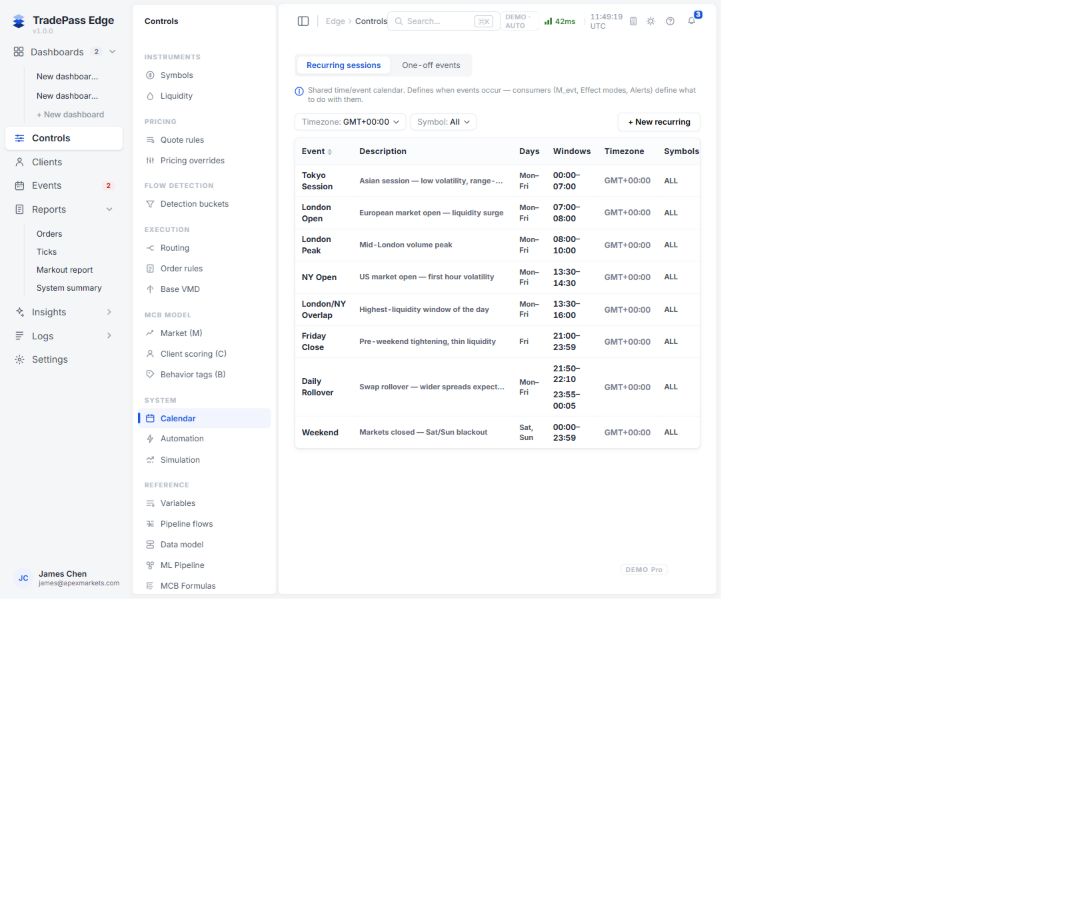
The shared Calendar defines recurring sessions and one-off events. Consumers such as M_evt, effect modes and alerts decide what to do. Always verify timezone, symbol scope, window and status.
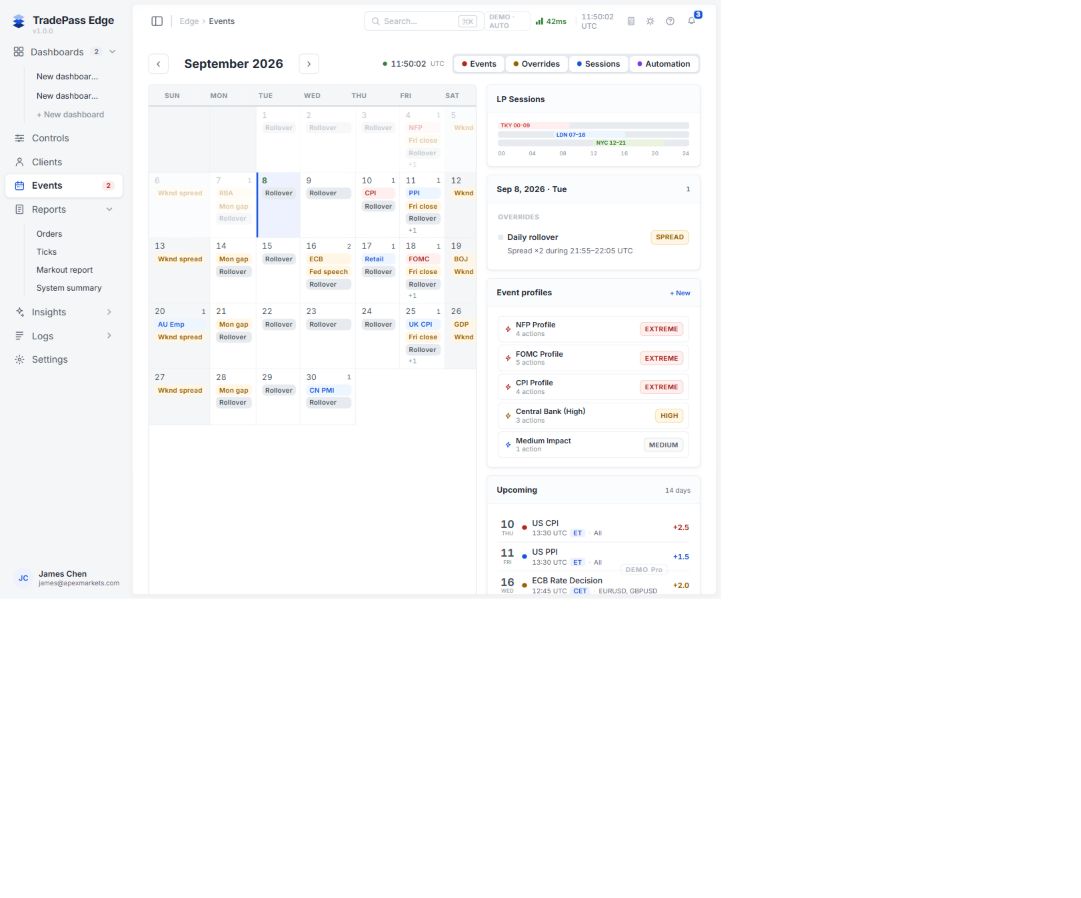
Events combines calendar events, overrides, LP sessions, automation and upcoming events for shift awareness. It is an investigation entry point, not proof that a particular order was affected.
Automation
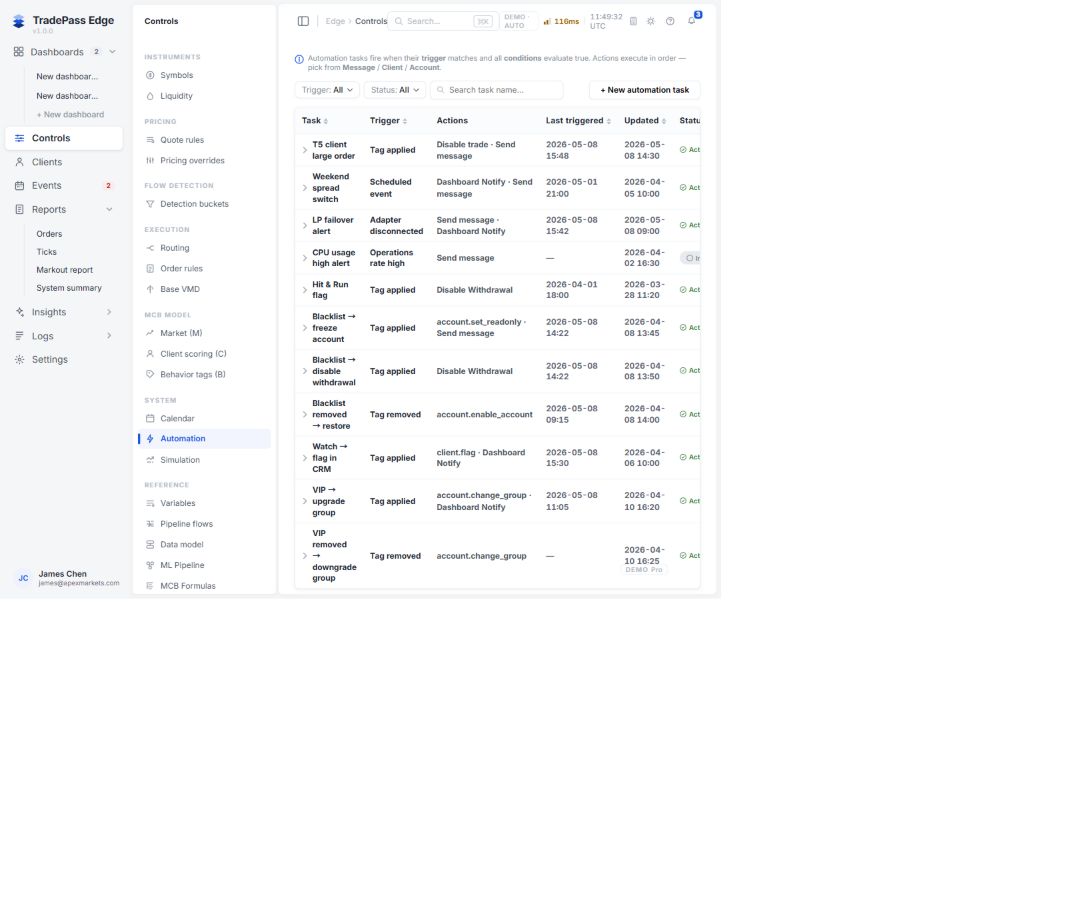
Tasks fire when the trigger matches and all conditions are true; actions execute in order. Inspect Task, Trigger, Actions, Last triggered, Updated and Status, then verify the actual outcome in Client change history or ticket-level records.
Simulation
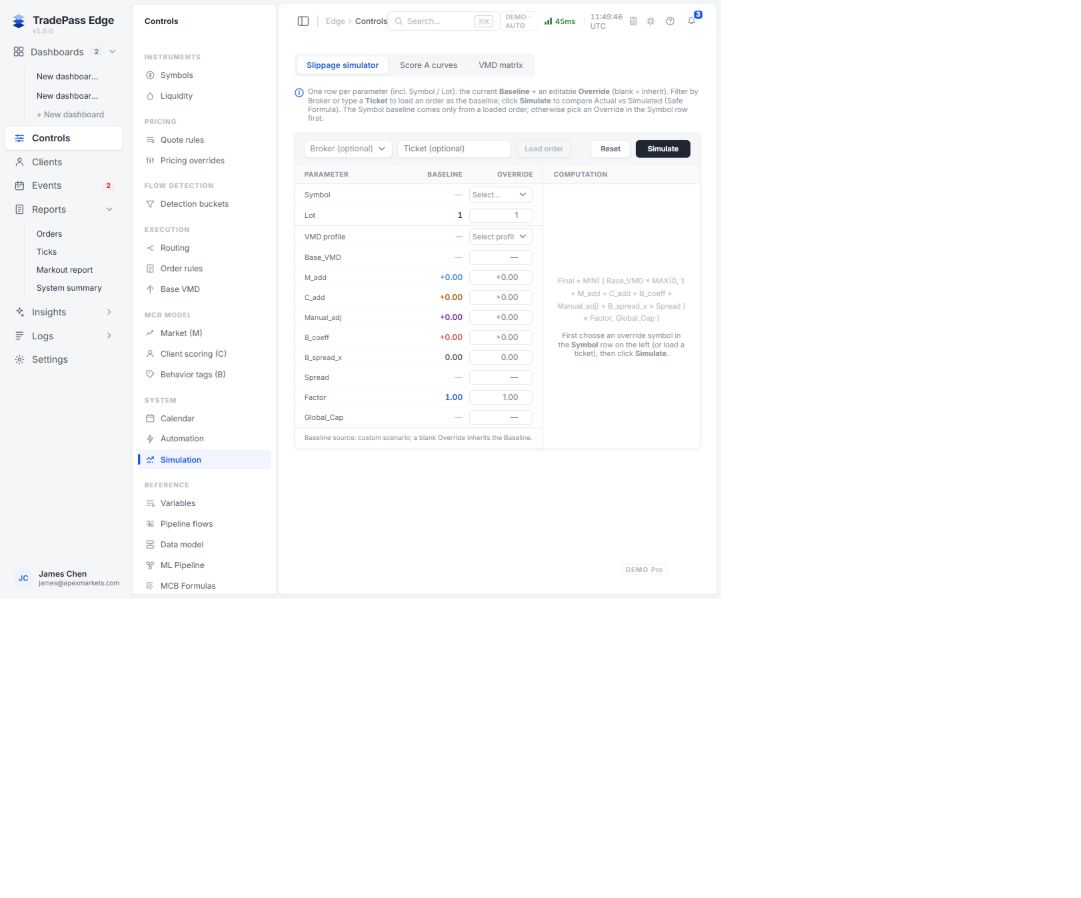
Simulation supports ticket baselines and custom what-if overrides for VMD, M/C/B, spread, factor and cap. Blank overrides inherit the baseline. It is for training and impact analysis; it is never evidence of how a historical order was processed.
For a news-window complaint, establish the historical Decision first, check the event window and timezone, verify the relevant pricing override, and use Ticks for market context. Use Simulation only after the historical facts are fixed.